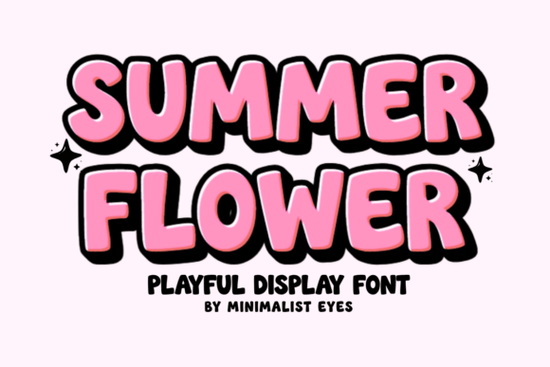
If you need a cheerful typeface for your next warm-weather project, the Summer Flower Font offers a thick, rounded, and bubbly aesthetic. Designed specifically with crafters and print-on-demand sellers in mind, this display typeface brings a hand-drawn personality to vinyl decals, custom apparel, and seasonal greeting cards. Because it is fully PUA encoded, accessing alternate characters is straightforward, making it a highly practical choice for both Cricut and Silhouette users who want clean results without complex software.
How does this typeface perform with cutting machines?
One of the biggest challenges for small business owners working with adhesive vinyl is weeding intricate letters. Thin lines often tear or peel away from the backing, wasting time and materials. This particular typeface solves that problem through its intentionally bold and thick edges. The rounded design ensures that your cutting machine's blade can track the curves smoothly, resulting in clean cuts even at smaller sizes.
Whether you are cutting heat transfer vinyl for custom T-shirts or permanent vinyl for coffee mugs, the solid structure of the letters holds up well during the transfer process. Crafters will find that the lack of sharp, fragile serifs reduces the risk of material ripping. This reliability makes it a dependable choice for producing merchandise in bulk for summer markets or online storefronts.
What projects work best with bubbly display typography?
The warm and joyful personality of this lettering makes it highly versatile for various physical and digital products. Here are a few specific applications where the thick strokes shine:
- Nursery decor: The soft, rounded edges create a welcoming and gentle feel for wooden baby name signs or wall art.
- Custom apparel: Bold letters ensure the design remains legible from a distance, which is ideal for graphic tees and tote bags.
- Party invitations: A playful vibe sets the right tone for birthdays, pool parties, and seasonal gatherings.
- Sticker packs: Print-on-demand sellers can use the thick outlines to create die-cut stickers with a satisfying, chunky border.
When designing invitations or branding, pairing a bold typeface with a contrasting style creates a professional layout. For instance, combining this playful summer-themed typography with graceful script typefaces like Hello Angela creates excellent visual balance. Alternatively, if your brand leans toward a nostalgic feel, you can contrast the modern, thick lines with retro-inspired lettering to give your designs a unique twist. Exploring wavy melted styles or a casual handwritten feel is also a great way to find complementary typefaces for a cohesive sticker pack or apparel line.
Is it easy to access special characters and ligatures?
Many display typefaces hide their best features behind complex keyboard shortcuts or expensive design software. However, this font is fully PUA encoded. This means every alternate character, ligature, and swash is mapped to standard Unicode values.
For Windows users, you can open the Character Map application, select the font, and copy any special character directly into your design canvas. Mac users can achieve the exact same result using the Font Book application. This feature is incredibly useful for hobbyists who primarily use web-based design platforms like Canva, which often struggle to access hidden glyphs without PUA encoding.
What file formats are included for designers?
To ensure compatibility across different operating systems and design programs, the download typically includes standard file types. You will receive OTF (OpenType Font) and TTF (TrueType Font) files, which install directly onto your computer and work seamlessly with Adobe Illustrator, Photoshop, and Microsoft Word.
Additionally, WOFF and WOFF2 formats are usually provided for web designers. These web-optimized files allow you to use the exact same typography on your small business website or blog, keeping your branding consistent across both your physical crafts and your digital storefront.
Quick setup checklist for your first project
Before you start cutting or printing, follow these steps to ensure the best results:
- Install the files: Unzip the downloaded folder and install both the OTF and TTF versions to your system.
- Test your sizing: Cut a small sample on a scrap piece of vinyl to verify that your blade depth is correct for the thick strokes.
- Check the weeding: Ensure the inside loops of letters like 'o' and 'e' are properly cleared before applying transfer tape.
- Pair carefully: If adding secondary text, choose a clean sans-serif or a flowing script to let the bubbly letters remain the focal point.
By taking a few minutes to test your machine settings and layout choices, you can produce professional-quality crafts that stand out at any craft fair or online shop.
Get Started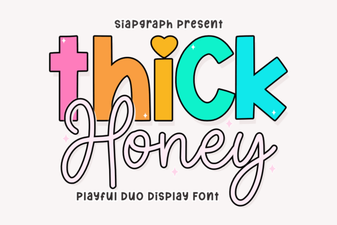 Thick Honey Duo Font for Creative Print Projects
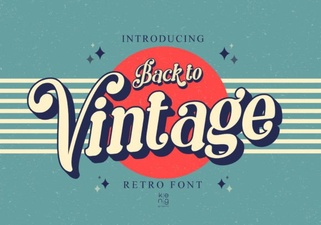 Embrace Vintage Fonts: Design with Retro Typography
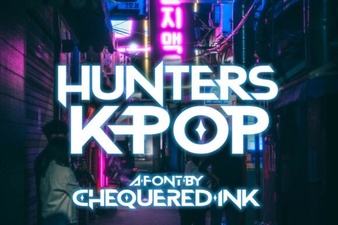 Hunter's K-Pop Fonts for Music & Design Projects
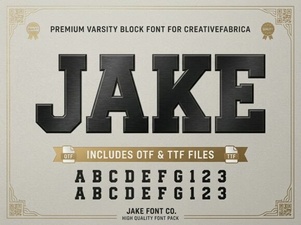 Jake Font: Creative Design Projects & Free Downloads
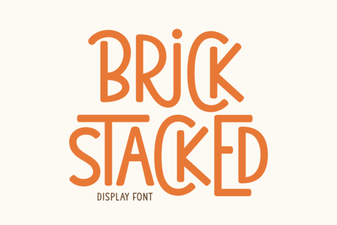 Building Creative Structures with Brick Fonts
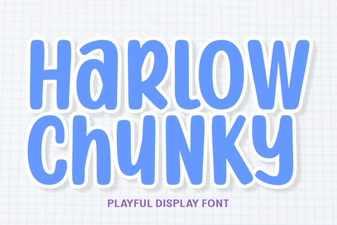 Design with the Chunky Harlow Font Style