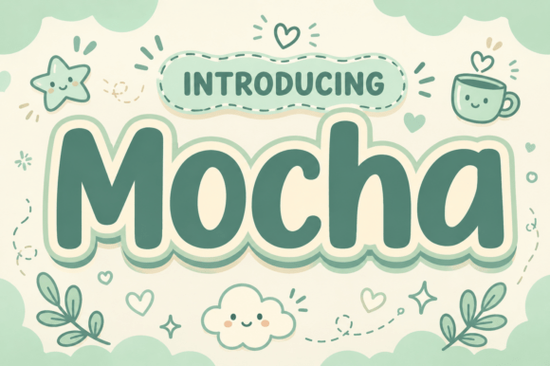
Finding the right typeface for a cozy brand identity often means looking for soft edges and heavy visual weight. The Motcha Font delivers exactly that aesthetic. Designed with ultra-bold, pillowy letterforms, it brings a sense of comfort and gentle charm to any visual project. Whether you are a small business owner designing merchandise for a local cafe, a print-on-demand seller creating nursery decor, or a crafter cutting vinyl decals, this typeface balances a heavy presence with a casual, approachable feel.
What kind of projects work best with a pillowy display typeface?
Soft, rounded typography naturally draws the eye without feeling aggressive or overly formal. This makes it an excellent choice for playful lifestyle packaging, children's book titles, and handmade greeting cards. If you are working on a coffee shop menu or a bakery logo, the thick, cloud-like shapes communicate warmth and hospitality immediately. Because the edges are smooth, this style is also highly reliable for crafters using electronic cutting machines; there are no fragile, thin serifs that might tear during the weeding process.
When building a complete brand identity, you rarely use just one typeface. It pairs nicely with other casual styles to create visual hierarchy. For example, if you need something slightly more structured but still relaxed for your subheadings, you might look at options like this stacked block lettering style. Alternatively, adding a delicate, flowing script like this floral-inspired handwritten option can provide a beautiful, lightweight contrast to the heavy geometry of the main headline.
How does the letterform geometry affect production and readability?
When working with ultra-bold fonts, the internal space, known as the counter, of each letter is crucial. Because the contours are so thick, maintaining clean geometry ensures the letters do not bleed together and become muddy at smaller sizes. The rounded edges keep the text friendly, which is highly effective for everyday apparel design.
Furthermore, uniform stroke widths are incredibly practical for physical production methods like embroidery or screen printing. Thin lines often get lost in fabric textures, but a heavy, pillowy design stitches out clearly and prints with solid, vibrant ink coverage. If you enjoy the chunky aesthetic but want to explore different historical vibes, a heavy vintage-inspired typeface might offer a more retro feel. For projects requiring a strictly modern approach, checking out a clean rounded sans-serif can help you decide exactly which level of softness your physical product requires.
Can you use this typeface for digital and social media graphics?
Bold display fonts perform exceptionally well on mobile screens where users scroll quickly through crowded feeds. A thick, highly legible headline stops the scroll much faster than a thin, intricate font. When designing social media headers, YouTube thumbnails, or Instagram story templates, using a typeface with a warm personality helps build an inviting community around your content.
You can replicate the earthy cream and sage-green sticker outline effect mentioned in the product presentation by using the offset path tool in vector software or adding a thick stroke layer in raster programs. This creates a die-cut sticker look that is very popular in digital planning communities. Understanding how shapes influence user perception is helpful here, and you can read more about typography psychology on Smashing Magazine. To complete your digital layout, you will also need a reliable secondary font, such as a retro script and sans-serif combination, to handle longer paragraphs of body copy.
What should you check before exporting your final design?
Before sending your files to a commercial printer or publishing them online, run through a quick quality check to ensure your typography holds up across different mediums.
- Test the kerning: Thick, pillowy letters often overlap awkwardly if left on default settings. Adjust the spacing manually if your design software does not auto-kern the rounded edges properly.
- Check color contrast: While the font looks great in earthy tones, ensure your actual text color has a high contrast ratio against the background so it remains accessible to all readers.
- Scale it down: Shrink your design to the size of a mobile screen or a standard business card. If the internal spaces of the letters fill in and become unreadable, increase the tracking or choose a different weight for that specific application.
- Outline the text: If you are sending a vector file to a client or a local print shop, always convert the text to outlines. This ensures the recipient does not need to purchase or install the font to view and print your artwork correctly.
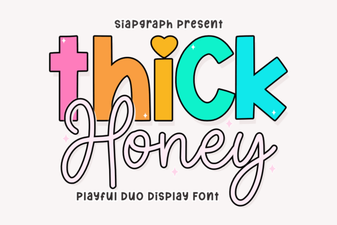 Thick Honey Duo Font for Creative Print Projects
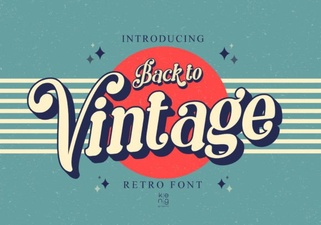 Embrace Vintage Fonts: Design with Retro Typography
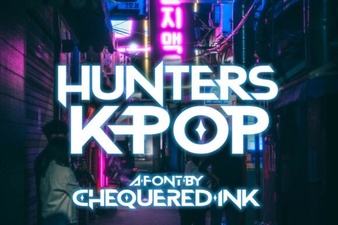 Hunter's K-Pop Fonts for Music & Design Projects
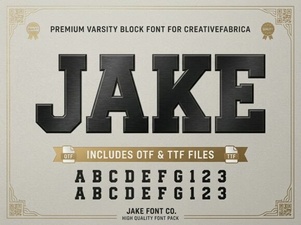 Jake Font: Creative Design Projects & Free Downloads
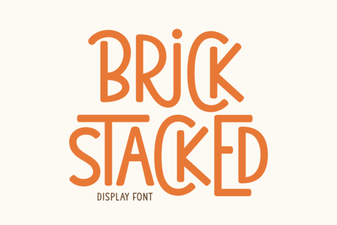 Building Creative Structures with Brick Fonts
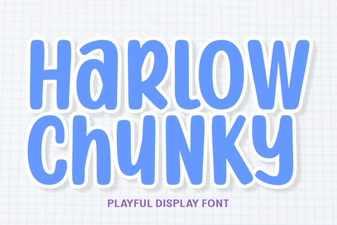 Design with the Chunky Harlow Font Style