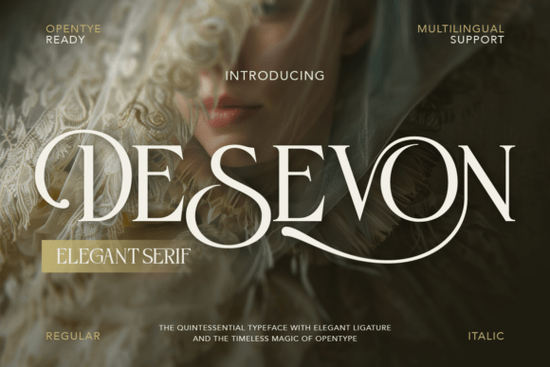
Typography often determines whether a brand feels accessible and casual or exclusive and high-end. When creating visual identities for luxury skincare lines, boutique wedding planners, or fashion magazines, the lettering needs to reflect that premium quality. The Desevon Font is a refined serif typeface built exactly for this purpose. Crafted with high-contrast strokes and delicate swashes, it gives graphic designers, print-on-demand sellers, and small business owners a reliable tool for classic yet modern branding.
What kind of projects work best with an elegant serif typeface?
High-contrast serif fonts naturally draw the eye, making them ideal for projects where presentation matters most. If you are designing wedding invitations, the graceful curves and optional stylistic alternates allow you to customize names and dates so they look hand-lettered. This bespoke quality is highly sought after by couples wanting unique stationery.
For beauty and skincare packaging, readability combined with a touch of luxury is essential. You want your product labels to stand out on a crowded retail shelf. This typeface provides that timeless beauty without looking outdated. The inclusion of a complete character map means you can easily access beautiful ligatures that connect letters smoothly, adding a custom feel to cosmetic branding or high-end product design.
Print-on-demand sellers can also use this style for typography-based t-shirts, tote bags, or wall art. The clean lines reproduce well on various materials. If you are working on social media templates, particularly for Pinterest or Instagram, this lettering helps create cohesive, editorial-style graphics. However, if your current project requires a more nostalgic or vintage aesthetic instead of modern luxury, you might want to explore a classic typewriter style to give your text a raw, authentic texture.
What technical features should you look for in a premium font?
When downloading typography for professional work, having the right file formats and character sets saves hours of frustration. This package includes both Regular and Italic styles in OTF and TTF formats. These files are fully compatible with major design software like Adobe Illustrator, Photoshop, Canva, and standard word processors.
A strong typeface also needs versatility to handle different design requirements. This specific download includes:
- Uppercase and lowercase letters for standard typesetting and paragraph text.
- Numbers and punctuation to handle pricing, dates, and essential contact information.
- Multilingual support so you can create marketing materials for international clients without missing characters.
- Alternates and ligatures to prevent repetitive letterforms in longer words.
Having access to stylistic alternates is particularly useful when designing logos or monograms. You can swap out a standard letter for a sweeping swash version to create a unique brand mark that feels entirely custom to your client.
How do you pair a high-contrast serif with other typefaces?
Pairing fonts correctly ensures your design remains legible and visually balanced. Because this typeface has distinct thick and thin strokes, it carries a lot of visual weight. It works best as a display font for headlines, logos, and short quotes.
For body text, you need something simpler. A clean, minimal sans-serif or a straightforward geometric font will balance the ornate details of your headings. If you want to keep everything within the same family but need a different mood, you could pair it with a structured editorial typeface for a more rigid, magazine-like layout.
Alternatively, if you are designing a romantic wedding suite and want to mix styles, combining this high-contrast font with a smooth, flowing script can create a beautiful hierarchy. When utilizing the elegant serif style for your main titles, let the secondary typefaces handle the smaller details like venue addresses or times.
How do you prepare your files for printing and digital use?
Before you finalize your branding project, make sure your typography is set up for success. Delicate serifs require careful handling, especially when moving from a screen to a physical product.
- Check the licensing: Verify if you need a commercial license for physical merchandise or just a desktop license for digital graphics.
- Test the alternates: Open the glyphs panel in your design software to see all the swashes and ligatures before finalizing your layout.
- Mind the kerning: High-contrast fonts sometimes need manual spacing adjustments, especially in all-caps logo designs, to ensure an even visual rhythm.
- Ensure color contrast: Use dark text on light backgrounds or vice versa so the delicate thin strokes do not disappear when printed on textured paper.
- Outline your text: When sending files to a commercial printer, always convert your fonts to outlines to prevent missing font errors.
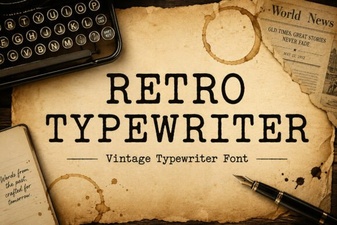 Craft Vintage Designs with Retro Typewriter Fonts
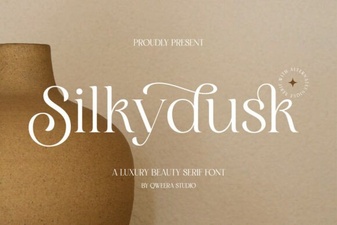 Silkydusk Font for Modern Web Design Projects
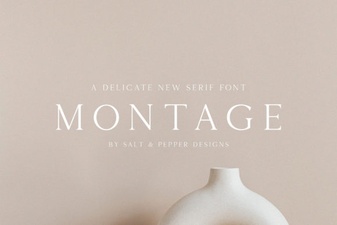 The Montage Font: Design Creativity Unleashed
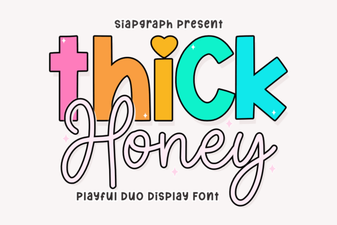 Thick Honey Duo Font for Creative Print Projects
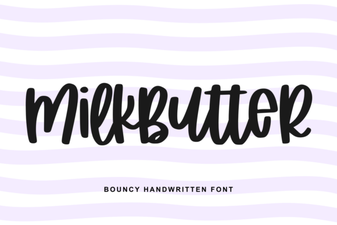 Milkbutter Font for Modern Design Projects
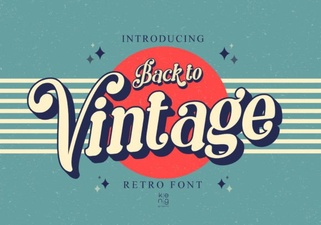 Embrace Vintage Fonts: Design with Retro Typography