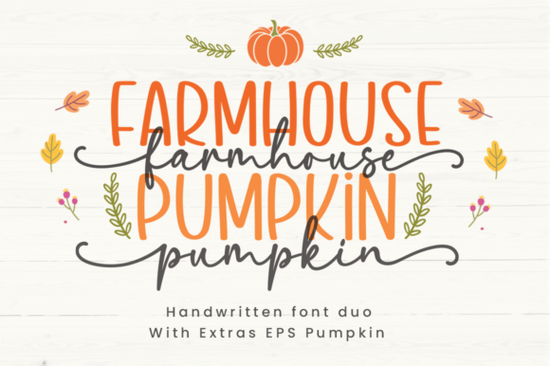
Finding the right typography for autumn projects can be tricky when you want something cozy but still legible. The Farmhouse Pumpkin Font solves this by offering a complete handwritten duo. You get both a casual script and a clean sans-serif, giving small business owners and crafters exactly what they need for seasonal designs. Whether you are making fall festival flyers or custom coffee mugs, this typeface brings a warm, approachable personality to your work without looking messy.
What projects work best with this handwritten duo?
Because of its relaxed charm, this typeface is highly versatile for seasonal crafts. Print-on-demand sellers often use the script version for bold, swooping quotes on sweatshirts, blankets, and canvas tote bags. The sans-serif companion is ideal for adding longer details, like event dates, locations, or ingredient lists on custom bakery packaging. If you enjoy making DIY greeting cards or scrapbook layouts, the bouncy baseline of the script adds a lovely personal touch.
Digital creators can also use this pairing for social media graphics. A cozy coffee shop promotion looks highly authentic when the main headline uses the script style while the promotional details use the sans version. For those looking to explore more seasonal typography, browsing the full rustic category page can provide additional inspiration for your fall catalog.
How do you mix the script and sans-serif styles effectively?
Using two typefaces from the same family guarantees that your text will look balanced. A common mistake among beginners is combining a heavy script with a clashing serif or an overly rigid sans-serif. Here, you can use the script for your main focal word like Autumn or Harvest and use the sans version for the supporting text.
If you want to try completely different moods for other projects, you might test dairy-themed script options like Milk Butter for a softer look. Conversely, if your brand needs a minimalist approach, minimalist signature typefaces such as Simple Signature provide elegant, thin lines. When designing for a younger audience or playful baked goods, the sweet lettering of playful bakery styles like Cupcake Handmade is another great alternative. Finally, if you need to transition your store's branding into warmer weather later in the year, fonts with a seasonal shift like Summer Hipster offer a nice contrast.
Is this font easy to cut with a Cricut or Silhouette?
Yes, crafters who work with adhesive vinyl will appreciate that the letters connect smoothly. Jagged edges or broken ligatures can ruin a decal, but this handwritten design flows naturally from one character to the next. When cutting vinyl for wooden signs or glass jars, it is best to weld the script letters together in your design software first. This creates a single continuous cut path, saving your machine's blade and producing a much cleaner final product. The sans-serif version is equally reliable for stenciling, as the letterforms have enough weight to remain visible when painted over.
What file formats are included and how do you install them?
You can download the complete set, including OTF and TTF formats, directly from the creator's shop. OTF files are generally preferred by designers using Adobe Illustrator because they support advanced typographic features like alternate characters and ligatures. TTF files are perfectly fine for everyday use in programs like Microsoft Word or Canva. Installing them is straightforward on both Windows and Mac operating systems. Simply double-click the downloaded file and select install. Make sure to check the licensing terms if you plan to sell physical products featuring the text.
Quick checklist for your next autumn design
- Weld your script text: Always merge connected letters before sending your file to a cutting machine to prevent tearing.
- Contrast your sizing: Make the script version at least twice as large as the sans-serif text to create a clear visual hierarchy.
- Test on dark backgrounds: White or cream text using this duo pops beautifully against deep orange, burgundy, or forest green backgrounds.
- Adjust the tracking: If using the sans-serif version in all caps, increase the letter spacing slightly to improve readability on small tags.
- Keep proportions intact: Avoid stretching the font horizontally, as this distorts the natural handwritten curves and makes the text look unprofessional.
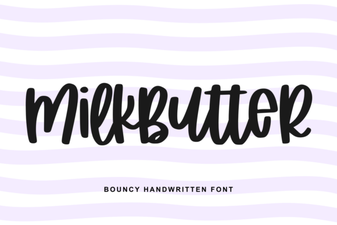 Milkbutter Font for Modern Design Projects
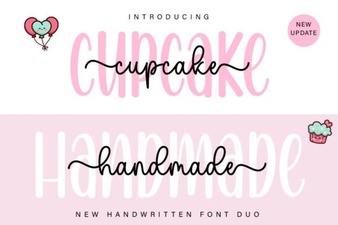 Cupcake Duo Font: Creative Handmade Design Projects
 Summer Fonts for Creative Designers
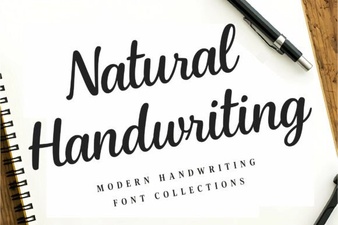 Craft Your Projects with Natural Handwriting Fonts
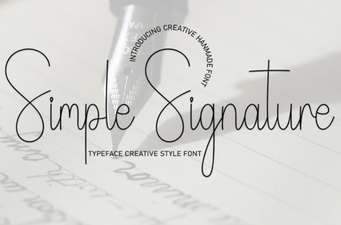 Creative Projects Using Simple Signature Fonts
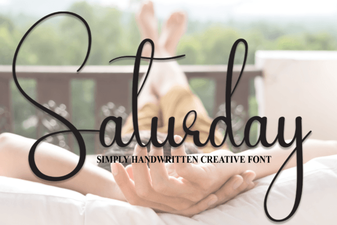 Saturday Font: Creative Projects & Typography Ideas